gd streamer at the Phoenix GT: Live Tournament Overlays in Action
The Phoenix GT is one of the biggest Warhammer 40K singles tournaments in the Netherlands. It is a two-day event that draws competitive players from across the country. This year, Board Report Live covered the full event using gd streamer to power every overlay on stream.
No spreadsheets. No manual score entry in OBS. No "hold on, let me update the graphic" between rounds. Just players tapping scores at the table and overlays updating in real time.
Here's how it worked and what we learned.
From NodeCG to gd streamer
Before gd streamer existed, the Board Report Live broadcast ran on a custom NodeCG setup. It worked, but it had a real problem: complexity. NodeCG needs to be installed as a standalone software package, through Docker or a manual install, and then you layer custom overlay bundles on top. For one streamer managing their own setup, that's doable. But when other streamers started asking to use the same overlays, explaining the setup was nearly impossible. The barrier to entry was just too high.
That's what sparked gd streamer. The goal was simple: make broadcast-grade tournament overlays accessible to any streamer with a browser and an OBS instance. No local servers, no Docker, no package management. Just sign in, create a match, and drop overlay URLs into OBS.
The Setup
The physical setup at the Phoenix GT was straightforward. Two OBSBot Tiny 2 Lite cameras handled pan-and-zoom shots of the table. An OBSBot Meet 2 served as both the overhead camera and the dice cam. All cameras connected via USB extenders directly into the streaming PC running OBS.
For player input, a laptop connected over WiFi opened the gd streamer tablet interface on a 21" touch screen monitor at the gaming table. That's it, nothing fancy. The split-screen interface shows blue on the left for player 1 and red on the right for player 2. Players drew their secondaries and scored them with the tap of a finger.
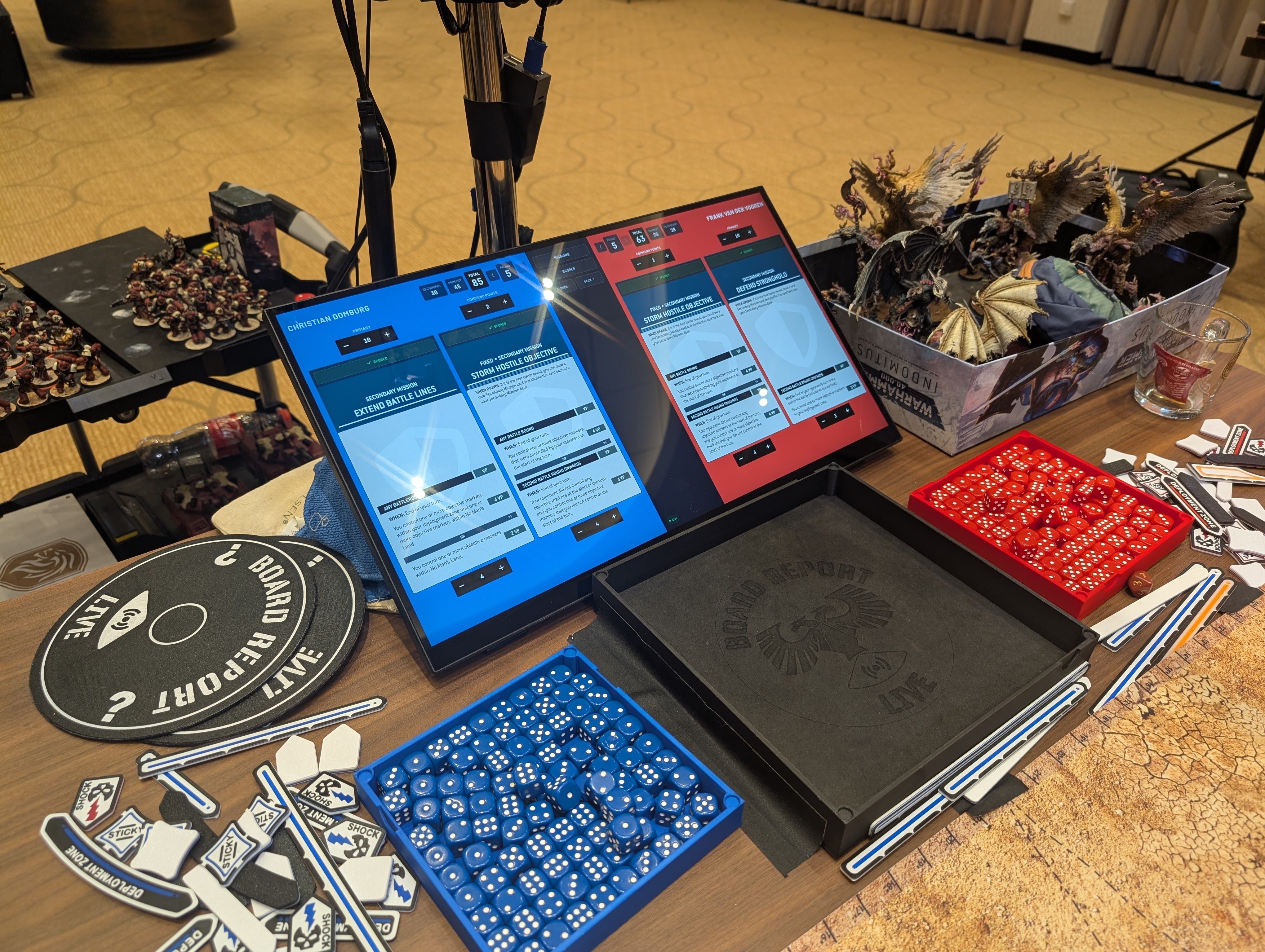
My wife helped set everything up and kept things running smoothly behind the scenes throughout the event. A tournament broadcast is always a team effort, even when there's only one person behind OBS.
Live Overlays in Action
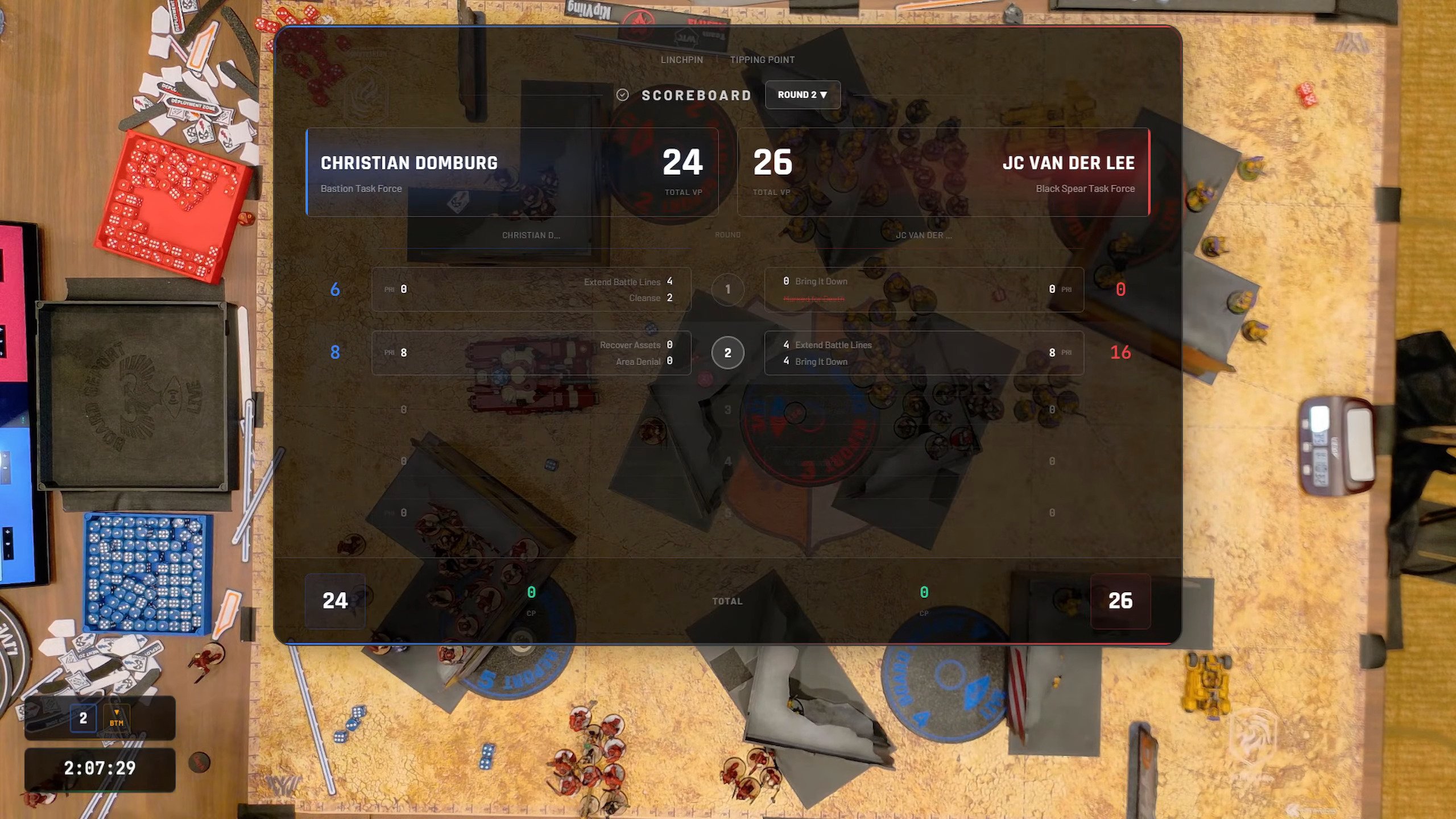
With scores flowing in from the table, the overlays handled the rest. The full scoreboard showed player names, factions, round-by-round scoring breakdowns, and secondary objectives, all updating the moment a player tapped their score.
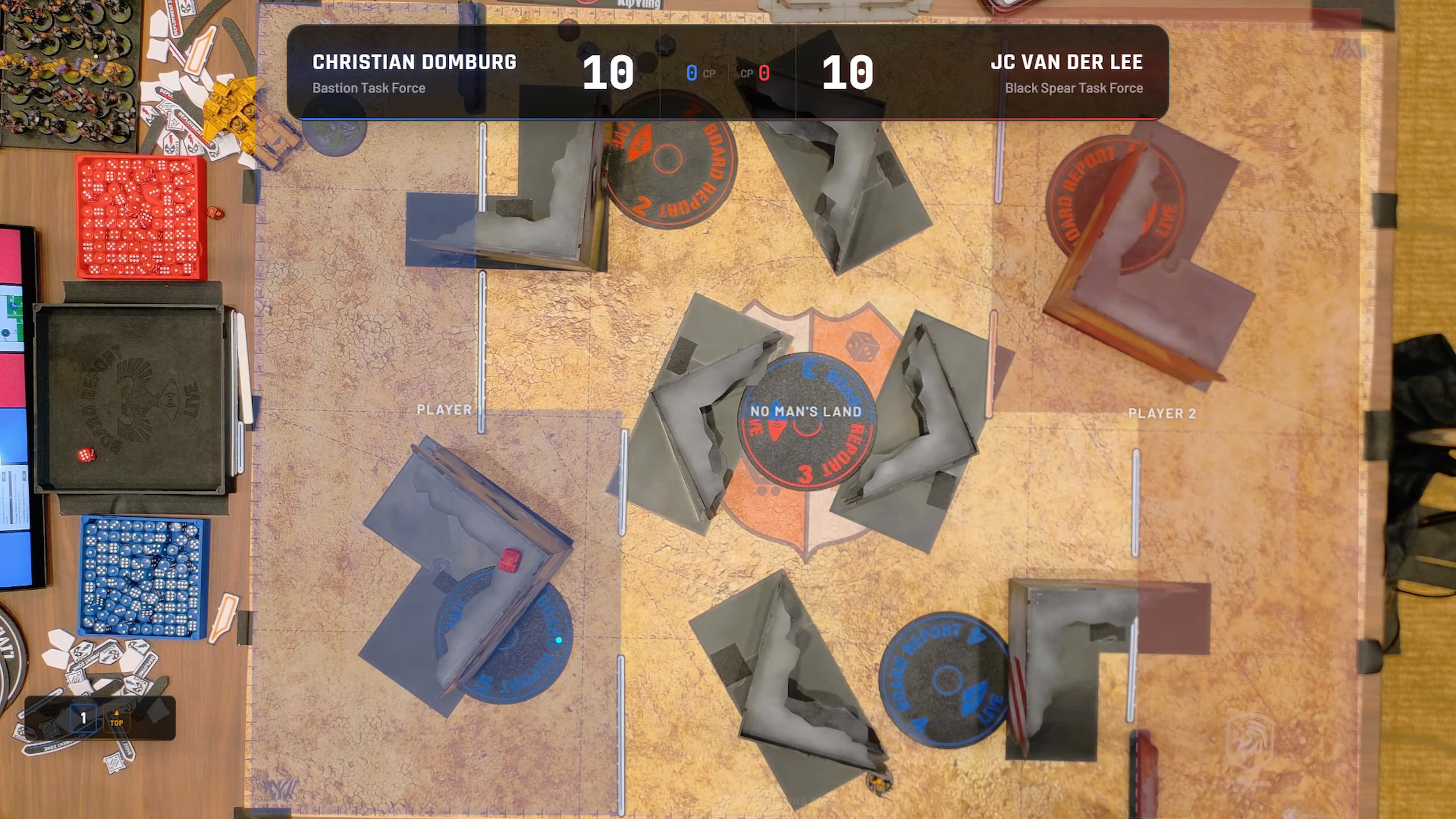
For the top-down camera, the score banner sat cleanly at the top of frame with player names, factions, and the running total. Deployment zones were visible on the table itself, giving viewers complete situational awareness.
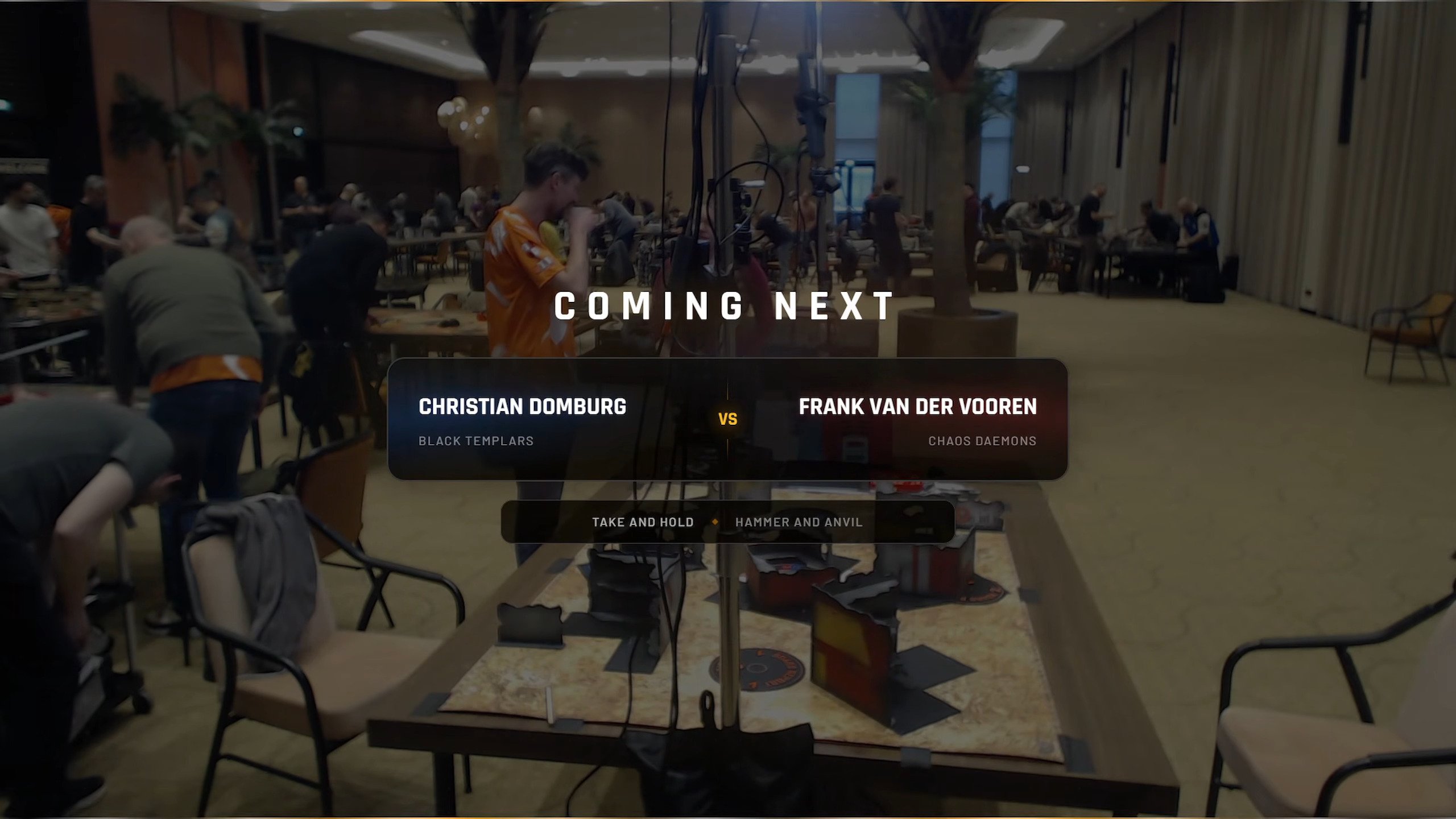
Between games, the "Coming Next" overlay pulled in the next matchup automatically: player names, factions, mission, and deployment type. No manual graphics needed, keeping the broadcast moving during transitions.
The 105-Point Hotfix
Not everything was perfect. In one game, a player's total score hit 105, which shouldn't be possible in 10th edition 40K, where the maximum is 100. Turns out the system wasn't capping primary and secondary totals. A quick hotfix later, the cap was in place and scores displayed correctly. The kind of edge case you only catch when real players are hammering on the system during a live event.
What We Learned
Running gd streamer across every round of a major two-day tournament confirmed a few things:
- Table input is the key unlock. Getting players to self-report scores eliminates the biggest bottleneck in tournament streaming. A single touch screen with a split blue/red interface was all it took. Players just tapped their numbers. No pushback, no confusion. They got it immediately.
- Overlays need to be invisible. The best compliment was people not noticing the tech. Scores and secondaries just appeared. That's the goal.
- Live events surface real edge cases. The 105-point bug, late score corrections, round timer adjustments. None of these show up in testing. A live tournament is the ultimate stress test.
What's Next
The Phoenix GT proved that gd streamer is ready for serious tournament broadcasting. But the bigger goal hasn't changed: make this accessible to every tabletop streamer, not just the ones who can wrangle a NodeCG setup.
More events are coming up on the Board Report Live calendar, and we're working on making gd streamer available to other streamers who want the same broadcast quality without the technical overhead.
Huge thanks to The Order & Tabletop Kingdom for organizing the Phoenix GT and for supporting the live broadcast.
Get started for free and bring broadcast-grade overlays to your next event. If you want to see gd streamer in action, check out Board Report Live on YouTube.